


Yes, part of the time...and it is so worth it!
While home/office-based digital audio workstations and video editing bays will definitely speed-up, cost-down, and overall democratize the process of getting effectively professional results, it shouldn't stop you, me, or anyone else to take current technology to areas where more experienced producers, engineers, and technicians go. That scary place, where things usually fall flat and you have to start over several times. The place that the owner's manual PDF file doesn't cover. You know what I'm talking about - go there. Often.
Several years of trial and error (failures, mediocre results, and some cool stuff) sort of gave me the indication to experiment from time to time, but recently I signed up for one of those gimmicky free videos through Digidesign (the company that makes Pro Tools, which is a subsidiary of Avid, etc.). It was for a handful of free videos from GrooveBoxMusic.com, which featured tips from music producer Kenny Gioia (the guy who produced the '90s hit "Sex and Candy," and someone who apparently made the transition from analog console recording/mixing to Pro Tools and brought a lot of cool analog techniques with him).
Anyway, Gioia's Pro Tools videos gave me a lot of information that I might have found out much later (or not) - little tips to make various trivial tasks less tedious and grandiose stuff that's worth taking the time to try. For example, there's one video where he de-esses vocals the long way, without using a de-esser plug-in to automate the process. This isn't a sales job to buy/rent whatever GrooveBoxMusic.com is selling, as I just watched the free videos and don't intend to spend money on other videos (though I might sometime later...). However, viewing the videos caused my creative wheels (which are always turning) to spin even faster, so I am now in the current mindset to not only fail often, but also to take my "game" to a higher level.
I think Walt Disney once said, "If you can dream it, you can do it." William Arthur Ward said something similar: "If you can imagine it, you can achieve it; if you can dream it, you can become it." So if your technology can't help you do what you've dreamt: A. You might need some help with your technology (and Google will be your friend), or B. You might need to change/modify/upgrade your technology (and Google will be your research buddy in this instance).
But for all this talk about technology, it really comes down to the user - you, me, and to whomever this rant may be relevant.
 |
 |
 |
|
|

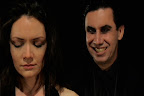
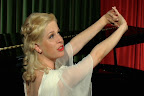
Check out our Élan Vital Production Stills!
Thursday, April 3, 2008
Technology Is Supposed to Be Inconvenient?


Thursday, January 31, 2008
Pro Tools M-Powered Trial and Error
I was testing out some relatively new equipment and programs so I could successfully implement these new aces-up-my-sleeves for the Elan Vital soundtrack. Anyhow, some of the equipment is (hopefully subtly) implemented in this new Mutiny Universe commercial:
In the process of creating the above video, I stumbled upon a new problem with Pro Tools M-Powered, as well as a possible workaround (through the process of trial and error). When using Pro Tools M-Powered with the Mobile Pre USB to score to a video file, make sure the video file is on the computer's hard drive and not on an external drive. If both the music files and the video are on the same external hard drive, the external M-Audio interface/sound card will make a hideous noise to prevent any and all productivity...or at least on my shoestring budget equipment. I'm guessing that my external hard disk drive isn't as fast as the computer's hard disk drive to access video.
To reiterate the above spiel: Save your music files on an external hard disk drive (as recommended by virtually everyone who uses Pro Tools), and have Pro Tool M-Powered access the video on the computer's main hard drive. The interface will be less noisy, less often, and you will be more productive. (I just did a quick search on Google, and apparently, intermittent noise is inherent to M-Audio's Mobile Pre USB...which means I really should save my rubles and pesos and Euros to get a better Pro Tools-ready interface.)
Also, on a related note: A few months ago, I discovered a catastrophic problem in Pro Tools M-Powered. Never, ever, ever add time to the beginning of the Pro Tools timeline, as it will give you an Access Error involving the Tempo Map.
Sunday, December 9, 2007
Many Baskets
 The computer I'm using to record the Elan Vital score is decent when it comes to editing a music video, recording a rock band, and producing a half-hour podcast, but the size of this film - length and layers - pushes the system to its limits. Even if your computer has a fast CPU and lots of RAM, it's still wise to never, ever, ever, ever, put all your eggs in one basket. In our case, eggs mean songs. By baskets, I mean Pro Tools files.
Consider this checklist for the film scoring process:
1. Make sure either your reference video has BITC or your digital audio workstation can read accurate SMPTE timecode. Check.
2. Beatmap the entire film in broad strokes, with more accurate mapping for pre-existing songs. Check.
3. Using the above file as your template, copy this file to use for each song individually. You'll inevitably modify the tempo and timing for the new songs in the score. If you're working on the entire score on the same Pro Tools file, then things will move around, causing lots and lots of frustration. Even if you have a good amount of RAM, it'll still not be enough, and frustration will ensue. Now that we have these caveats established, create separate files for all your songs, and have an extra template file to bring all the songs together. Check, check, and check.
4. Work on each distinct song as separately or as together as is wise to do so. To save myself the trouble of all the pitfalls mentioned above, I have identified 10-14 individual songs for the Elan Vital soundtrack - some have been already recorded, some have been demoed, and the rest needs to be written. There will be layers and layers of tracks for the score, so to keep myself on my creative toes, I've resolved to work on a different song every day. (The holidays will inevitably stand in my way, but I'm currently optimistic about being productive.) By the end of this (presumably) two-week period, I'll have a skeleton of a score.
5. With the songs recorded in separate Pro Tools files, output each song as an lossless audio file, and put them all together onto the extra template file mentioned in Step 3. Since you've worked on these songs within days of each other, there's a good chance that the songs will flow together well. There's also a good chance they won't. Regardless, congratulate yourself with the completion of the score's skeleton. Get some feedback from the director, and move forward with more layers, organs, and skin, and clothes!
I realize I've been erratically shifting from the second person (you in the how-to sense) to the first person (I/me in the personal experience sense), and vice versa, but roll with it...please?
6. Wash (write), rinse (record), and repeat Steps 4, 5, and 6 as necessary. I anticipate this cycle to be as thorough as the film deserves...and Elan Vital truly deserves a transcendent form of thorough...or is that a Transcendental form of Thoreau (which is redundant)?
Thursday, December 6, 2007
Beatmapping the Movie

Replacing the temp track on a previous Mutiny Universe production, Outcasts, involved accurate beatmapping of the temp track, which was used in the editing of the film and therefore essential to the film's timing. Using this click track of multiple tempos, the original song "Time (Lose Your Hold)" by The Society of Gloves (featuring moxy phinx) was recorded at the locked pace of that particular scene of the film, preventing any major restructuring on the video end of things.
The soundtrack of Elan Vital is essentially ten (possibly fourteen) times the amount of beatmapping, click tracking, and obsessing during the recording process of "Time (Lose Your Hold)." When you have an entire film right in front of you - with demo songs, songs by third-party artists, and blank space where music should be - it would be a good idea to beatmap the entire film in broad strokes (the more accurate, the better). Elan Vital currently has its share of demos I recorded earlier this year and three songs by artists that aren't me, and that music is part of the locked picture. The music itself isn't locked, as there are parts of the demos that need to be rearranged or rerecorded to perfectly fit with the video. This is why it would be a good idea to accurately identify the beats per minute, the time signature, and where each song/theme/cue/leitmotif should begin in the movie. If you're using virtual instruments in addition to flesh, blood, metal, and wood instruments, then creating an accurate click track is essential for effective film scoring.
Once you have the structure and accuracy of a beatmap / click track and BITC / timecode, then all that remains is the artistry...in theory, anyway.
Monday, December 3, 2007
Burnt-in Timecode is a BITC!!!
 With SMPTE timecode pretty much standard in A/V editing programs, burning a timecode stamp (burnt-in timecode or BITC - pronounced bit-see) onto a digital video should be unnecessary for this day and age. Unfortunately, this is not the case if you are using Pro Tools M-Powered 7.3 to record a film score.
Pro Tools LE (the one bundled with the Mbox or Mbox2) can be upgraded to show SMPTE timecode, in addition to measuring time in bars-and-beats, samples, and minutes-seconds-and-decimals. Unfortunately, you have to spend extra dollars on something called the DV Toolkit.
If you've spent the retail value of a new car on Pro Tools HD, then any applicable DV options had better be there!
The bottom line is this: For the robustness of my music program of choice and necessity, it is missing SMPTE timecode, which is a universal language when it comes to film postproduction. The only way to remedy this is to go old school by using BITC.
And that, my friends, can be an odyssey in an of itself. It was for me!
With Final Cut Pro, you'll need to nest the entire movie's timeline and add BITC as a video filter on top of the video nest. This also means you'll have to render a new video, and if you're using prosumer or consumer hardware - you'll have time to catch up on a good book or two.
If you're using Adobe products, you'll probably need to call in the entire cavalry to do this simple act. Earlier versions of Premiere Pro lack this simple filter, so you'll need to turn to After Effects to add a timecode filter. Instead of creating glowing lightsabers for seconds at a time, you'll need to render an entire movie with BITC. Read a book; rendering will take a while.
You'll be able to add BITC with any frame rate - in our case, roughly 24 frames per second - however, the rendered movie from After Effects might end up as a 30 fps movie. This will cause all sorts of confusion if you're going to import the BITC movie in Pro Tools, so you'll need to import the video into Premiere Pro. With this program, you can output the entire movie in 24 fps, and you'll be able to either take a nap or read another book.
When you're done, open Photoshop, Illustrator, Acrobat, and Flash for good measure. You probably won't need these specific programs for BITC, but they need love, too.
Any way you slice it - OS, Windows, or Linux - you'll need to render a movie, and rendering sucks. Few exceptions include: Fast, professional hardware and/or exporting to tape with a deck/camcorder that creates BITC.
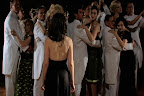
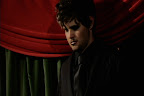
Check out our Élan Vital Production Stills!


