


We continue to quietly make progress on the film. We are now in the final stages of post-production as we go into sound, music, ADR, and color correction (post-post). I cannot be specific on when the film will be complete and ready for a premier but I can say that we are closer than we have ever been. I can also say that everyone who worked on this picture should be very proud. We will keep you posted. ...and don't worry - I have not forgotten about anyone - though some of you haven't seen me since production, I saw you many hundreds of times during the editing process and - man - do I appreciate the effort and artistry! :-)
 |
 |
 |
|
|
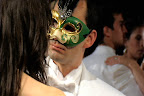
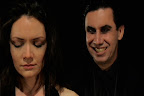
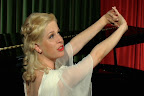
Check out our Élan Vital Production Stills!
Showing posts with label postproduction. Show all posts
Showing posts with label postproduction. Show all posts
Friday, February 8, 2008
Post-post


Wednesday, January 9, 2008
See (Hear) the Forest AND the Trees!
 To save my computer (and myself) from needless strain, I recorded each soundtrack song separately. While still a long way from saying each song is "complete," I've taken early drafts / recordings / demos of each song and mixed them down as separate WAV files (actually a left-mono and a right-mono file for each song).
I put the songs in order at each precise point of the film (think BITC). And now the director and I can see the soundtrack as a whole. I personally can tell which parts need tightening and how to craft a unifying score, rather than a loose collection of songs that fit the movie...kinda, sorta.
Here is a cryptic track list for the soundtrack, with links to cool people:
1. First
2. Drone
3. Samba
4. Alessandra
5. Isabelle
6. Boogie
7. Katrina
8. moxy
9. Waltz
10. Jazz
11. Stranger
12. Robert
13. Christine
14. Last
Sunday, December 9, 2007
Many Baskets
 The computer I'm using to record the Elan Vital score is decent when it comes to editing a music video, recording a rock band, and producing a half-hour podcast, but the size of this film - length and layers - pushes the system to its limits. Even if your computer has a fast CPU and lots of RAM, it's still wise to never, ever, ever, ever, put all your eggs in one basket. In our case, eggs mean songs. By baskets, I mean Pro Tools files.
Consider this checklist for the film scoring process:
1. Make sure either your reference video has BITC or your digital audio workstation can read accurate SMPTE timecode. Check.
2. Beatmap the entire film in broad strokes, with more accurate mapping for pre-existing songs. Check.
3. Using the above file as your template, copy this file to use for each song individually. You'll inevitably modify the tempo and timing for the new songs in the score. If you're working on the entire score on the same Pro Tools file, then things will move around, causing lots and lots of frustration. Even if you have a good amount of RAM, it'll still not be enough, and frustration will ensue. Now that we have these caveats established, create separate files for all your songs, and have an extra template file to bring all the songs together. Check, check, and check.
4. Work on each distinct song as separately or as together as is wise to do so. To save myself the trouble of all the pitfalls mentioned above, I have identified 10-14 individual songs for the Elan Vital soundtrack - some have been already recorded, some have been demoed, and the rest needs to be written. There will be layers and layers of tracks for the score, so to keep myself on my creative toes, I've resolved to work on a different song every day. (The holidays will inevitably stand in my way, but I'm currently optimistic about being productive.) By the end of this (presumably) two-week period, I'll have a skeleton of a score.
5. With the songs recorded in separate Pro Tools files, output each song as an lossless audio file, and put them all together onto the extra template file mentioned in Step 3. Since you've worked on these songs within days of each other, there's a good chance that the songs will flow together well. There's also a good chance they won't. Regardless, congratulate yourself with the completion of the score's skeleton. Get some feedback from the director, and move forward with more layers, organs, and skin, and clothes!
I realize I've been erratically shifting from the second person (you in the how-to sense) to the first person (I/me in the personal experience sense), and vice versa, but roll with it...please?
6. Wash (write), rinse (record), and repeat Steps 4, 5, and 6 as necessary. I anticipate this cycle to be as thorough as the film deserves...and Elan Vital truly deserves a transcendent form of thorough...or is that a Transcendental form of Thoreau (which is redundant)?
Thursday, December 6, 2007
Beatmapping the Movie

Replacing the temp track on a previous Mutiny Universe production, Outcasts, involved accurate beatmapping of the temp track, which was used in the editing of the film and therefore essential to the film's timing. Using this click track of multiple tempos, the original song "Time (Lose Your Hold)" by The Society of Gloves (featuring moxy phinx) was recorded at the locked pace of that particular scene of the film, preventing any major restructuring on the video end of things.
The soundtrack of Elan Vital is essentially ten (possibly fourteen) times the amount of beatmapping, click tracking, and obsessing during the recording process of "Time (Lose Your Hold)." When you have an entire film right in front of you - with demo songs, songs by third-party artists, and blank space where music should be - it would be a good idea to beatmap the entire film in broad strokes (the more accurate, the better). Elan Vital currently has its share of demos I recorded earlier this year and three songs by artists that aren't me, and that music is part of the locked picture. The music itself isn't locked, as there are parts of the demos that need to be rearranged or rerecorded to perfectly fit with the video. This is why it would be a good idea to accurately identify the beats per minute, the time signature, and where each song/theme/cue/leitmotif should begin in the movie. If you're using virtual instruments in addition to flesh, blood, metal, and wood instruments, then creating an accurate click track is essential for effective film scoring.
Once you have the structure and accuracy of a beatmap / click track and BITC / timecode, then all that remains is the artistry...in theory, anyway.
Monday, December 3, 2007
Burnt-in Timecode is a BITC!!!
 With SMPTE timecode pretty much standard in A/V editing programs, burning a timecode stamp (burnt-in timecode or BITC - pronounced bit-see) onto a digital video should be unnecessary for this day and age. Unfortunately, this is not the case if you are using Pro Tools M-Powered 7.3 to record a film score.
Pro Tools LE (the one bundled with the Mbox or Mbox2) can be upgraded to show SMPTE timecode, in addition to measuring time in bars-and-beats, samples, and minutes-seconds-and-decimals. Unfortunately, you have to spend extra dollars on something called the DV Toolkit.
If you've spent the retail value of a new car on Pro Tools HD, then any applicable DV options had better be there!
The bottom line is this: For the robustness of my music program of choice and necessity, it is missing SMPTE timecode, which is a universal language when it comes to film postproduction. The only way to remedy this is to go old school by using BITC.
And that, my friends, can be an odyssey in an of itself. It was for me!
With Final Cut Pro, you'll need to nest the entire movie's timeline and add BITC as a video filter on top of the video nest. This also means you'll have to render a new video, and if you're using prosumer or consumer hardware - you'll have time to catch up on a good book or two.
If you're using Adobe products, you'll probably need to call in the entire cavalry to do this simple act. Earlier versions of Premiere Pro lack this simple filter, so you'll need to turn to After Effects to add a timecode filter. Instead of creating glowing lightsabers for seconds at a time, you'll need to render an entire movie with BITC. Read a book; rendering will take a while.
You'll be able to add BITC with any frame rate - in our case, roughly 24 frames per second - however, the rendered movie from After Effects might end up as a 30 fps movie. This will cause all sorts of confusion if you're going to import the BITC movie in Pro Tools, so you'll need to import the video into Premiere Pro. With this program, you can output the entire movie in 24 fps, and you'll be able to either take a nap or read another book.
When you're done, open Photoshop, Illustrator, Acrobat, and Flash for good measure. You probably won't need these specific programs for BITC, but they need love, too.
Any way you slice it - OS, Windows, or Linux - you'll need to render a movie, and rendering sucks. Few exceptions include: Fast, professional hardware and/or exporting to tape with a deck/camcorder that creates BITC.
Monday, August 27, 2007
Dialogue Editing
Today's magic words are elbow grease.
As you can see, I've ironically unmade what the editor has made, so I can isolate the audio from various takes to use BIAS Soundsoap Pro for noise reduction, as well as to apply varying degrees of panning and volume for the individual characters in the movie.
I'm pretty sure there are some easier ways to go about the digital video editing bay/digital audio workstation (DAW) divide, such as:
1. Presumably - but don't quote me on this - using Apple Final Cut Pro for video and Apple Logic Pro for audio.
2. Avid Media Composer for video and Digidesign Pro Tools for audio - Digidesign being a subsidiary of Avid.
3. Adobe Premiere for video and Adobe Audition for audio.
I might just be blowing smoke, but chances are if you're using the same company's products for postproduction, your workflow process will be simpler and more efficient.
We are doing no such thing for Elan Vital. Jason's cutting picture with Final Cut, and I'm cutting and adding sound with Pro Tools. But again, think elbow grease.
And you can tell from the screenshot, I'm running Pro Tools M-Powered 7.3.1 on an otherwise outdated system running Windows XP. Again, elbow grease. Well, okay - elbow grease - as well as decent computer brain power (RAM and processor), and a decent USB/Firewire/PCI Card audio interface, namely something cool made by M-Audio or Digidesign. But the rest is all will and determination.
So I've chopped the entire dialogue track into manageable pieces to SoundSoap and pan and change levels. It's also a good idea to fill in the gaps caused by the jigsaw puzzle that I've created with some relatively clean-sounding room tone, that is, room tone that'll match the SoundSoaped files. That probably means somewhat SoundSoaping the room tone too.
When that's all done - and we're not even close to tell you the truth - we'll finally know which parts of dialogue can be saved, and which parts we'll need to get in ADR. Yes, ADR...automated dialogue replacement or additional dialogue recording...same thing. I can tell you right off the bat, distorted audio - where the boom was too close to a louder-than-usual actor - will have to be replaced. Unfortunately, we have a handful of spots where that was the case...the boom and actor(s), wrong place, wrong time. ADR, which we'll save for another exciting blog entry, here we come!
(Of course, the proper way around the distortion problem is to record the audio separate from video - not on the same DV tape - with a production sound mixer always on guard and in perfect synchronization with the boom operator. And speaking of sync, you'd also need an extra machine to burn timecode on both the audio recorder and the video/film recorder. We had no such luxury for Elan Vital. And if you are reading this blog for information to help your project, chances are that you won't have a large enough budget either. Again, elbow grease.)
The big lesson I'm trying to stress here is if you aren't granted the luxury of expensive equipment, in grand quantities thereof, or the luxury of extra crew positions, also in grand quantities thereof, you'll need to put in (1) some harder-than-hard, hard work and (2) some creativity that goes beyond the creativity of the creative process. Just remember the old adage: Necessity is the mother of invention. Also remember the Mothers of Invention's album Freak Out!, which is what not to do when faced against seemingly insurmountable odds.
Anyhow, this is BIAS SoundSoap Pro:
But if you want something simpler and less expensive for noise reduction, I suggest BIAS SoundSoap 2:
SoundSoap Pro is only a plug-in, and a pricey one at that, so you'll need a host program, like Pro Tools or another DAW that accepts RTAS or VST plugins. SoundSoap 2, on the other hand, is both a plug-in and a stand-alone program. For best results with SoundSoap 2, you'll have to find a happy medium between noisy and that flanged, audio in the bathroom sound if you go overboard.
And here are the pairs that might help with workflow issues:
Final Cut Pro and Logic Pro. Actually Final Cut Studio contains Final Cut Pro and Soundtrack, which might be a sufficient audio program, depending on your needs:
In lieu of Media Composer, here are Avid Liquid and Pro Tools M:
If you want something more robust from Avid, here are Xpress Pro and Pro Tools HD, you big spender:
Premiere Pro and Audition:
Until next time...elbow grease.
Monday, August 20, 2007
Sound Effects
There's only so much I can do with sound-wise with the rough cut of Elan Vital. Do I begin dialogue editing? Do I layer in the sound design? Do I continue the music work that I've begun in preproduction?
The answer should be yes to all three. However, since I'm my own personal sound triumvirate (or audio trinity, if you like) - and if you, the reader, find yourself in the same predicament - it would be best to do the entire process, as well as you can, one step at a time.
Anyway, the director (Jason) and I agreed that compiling sounds for the effects track would benefit the postproduction process most at the rough cut stage. And so here I am working on the effects track (which deceptively will contain a plethora of tracks).
For a movie like Elan Vital, sound effects will take the following forms:
1. Foley work. I'm essentially going to be the unquiet mime of the movie. It's going to equally be the obvious sounds (the bartender cleaning glasses, footsteps, etc.) and the subtle (clothing that rubs together while the bartender cleans glasses, for instance).
I only have the ability to use two microphones simultaneously, but that still gives us some good opportunities. Two microphones can either create true stereo on the spot (the difference between panning a mono track in a digital audio workstation [DAW] versus having the sound actually travel in stereo), or variety of mic placement (one mic close to the sound and one far away to incorporate the sound of the room). Alternatively, one mic can be placed close to the main sound (a towel cleaning a glass, for instance) and another can be placed on the secondary sound (clothes rubbing due to bodily movement), and the appropriate proportion of the two can be mixed within the DAW.
Of course, I'm not recording at the most ideal of Foley stages, and it is a hot summer during the daytime. Needless to say, most of the microphone recording currently takes place during cooler, vampiric hours. If it didn't occur to you already, innovation is a definite requirement in the creation of independent cinema.
2. Heavily-processed effects library samples. Of course, this will be a last resort for the un-Foley-able sounds. If and when I have to incorporate previously made sounds, as a rule of thumb, the sounds will never be left as-is. You need to tweak them with whatever DAW you're using. In my case, I'm thankfully using Pro Tools. If all goes well, it'll be like photoshopping for the ears (since Pro Tools does share a similar infamy as Photoshop).
3. Harmonic (and dissonant) ambience (or ambiance, as both spellings seem to be correct). Generally it's not the most ideal situation when the sound designer is also the music composer, for obvious reasons. However, one advantage to have the two-in-one is that the music and the the music-like effects will seemlessly come together without much argument. (That is, if said sound designer/musician doesn't suffer from a mental disorder.) Anyway, I'm creating some of the ambience using both organic and virtual instruments (just like the soundtrack).
As far as virtual instruments go, there are several free VSTi plugins on the web, which will require a lot of work searching and researching. If you're using Pro Tools, you'll need a VST to RTAS wrapper to use those plugins. FXpansion is the only company that I know of that creates such a product. There are also several commercial VST and RTAS plugins (and other types), but they can be extremely expensive and cost prohibitive, especially when you are your own film investor. Digidesign (the company behind Pro Tools) offers a free RTAS instrument plugin called Xpand!, which I'm excited to use for Elan Vital. Not only does Xpand! have simulated traditional instruments (which sound really great, I might add), there's a library of ethereal-ness that may work for this movie.
Here's the VST-RTAS wrapper I'm talking about:
And here are several levels of Pro Tools you can choose from (depending on your budget):
Also be aware that you'll need a qualified M-Audio interface to run Pro Tools M-Powered. Pro Tools LE comes with the Mbox and Digi interfaces, and if you're going to use Pro Tools HD, I salute you.
Subscribe to:
Posts (Atom)
Check out our Élan Vital Production Stills!


